
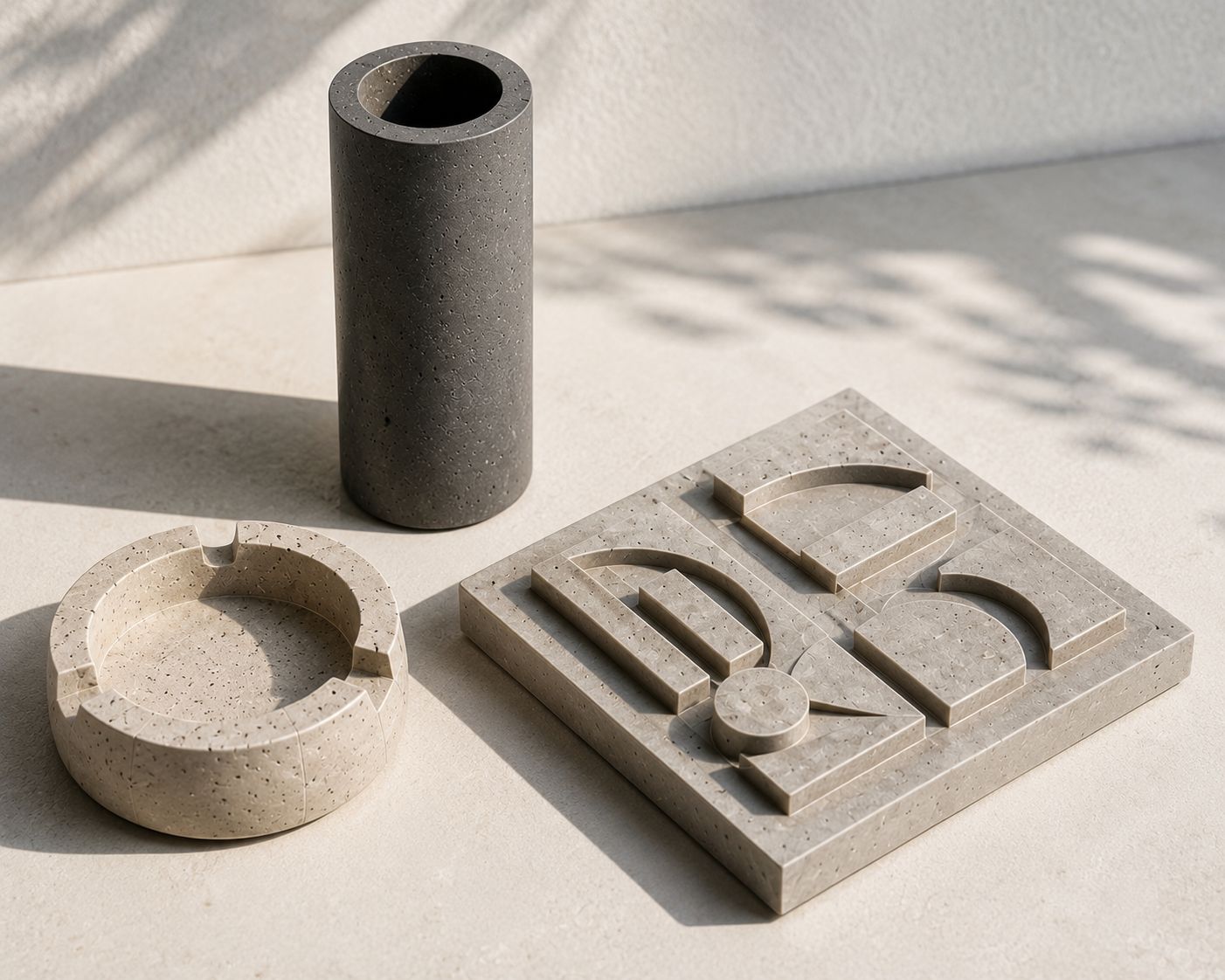
Architectural Concrete Vase, Ashtray & Wall Art Set
by Nikos Papadopoulos
Cast a matching set of small decorative pieces — a slim vase, a faceted ashtray, and a geometric wall tile — from smooth architectural concrete. Perfect for someone with some DIY experience wanting polished, modern homeware under 20 cm.
Finishing
White architectural concrete mix
5 kg fine casting concrete, max aggregate 2 mm (the body of all three pieces)
Concrete pigment
1 small tub, charcoal grey, 100 g (optional colour for wall art)
Mould release spray
1 can, silicone-based, 200 ml (stops concrete sticking to moulds)
Clear concrete sealer
1 bottle, matte penetrating sealer, 250 ml (protects and polishes surface)
Hardware
Silicone vase mould
1 flexible mould, ~15 cm tall, 7 cm diameter with removable inner core (the vase form)
Silicone ashtray mould
1 flexible faceted mould, ~12 cm across, 3 cm deep (the ashtray form)
Silicone geometric tile mould
1 flat mould with raised relief, ~18 × 18 × 2 cm (the wall art form)
Wall-hanging hooks
2 self-adhesive picture hooks, 3 kg rating (to hang the tile)
Abrasives
Fine sandpaper set
wet/dry sheets, grits 220, 400, 800 (for polishing cured pieces)
Step 1 of 7
Prepare moulds and plan your casting order
MATERIALS
PREPARE THE MOULDS
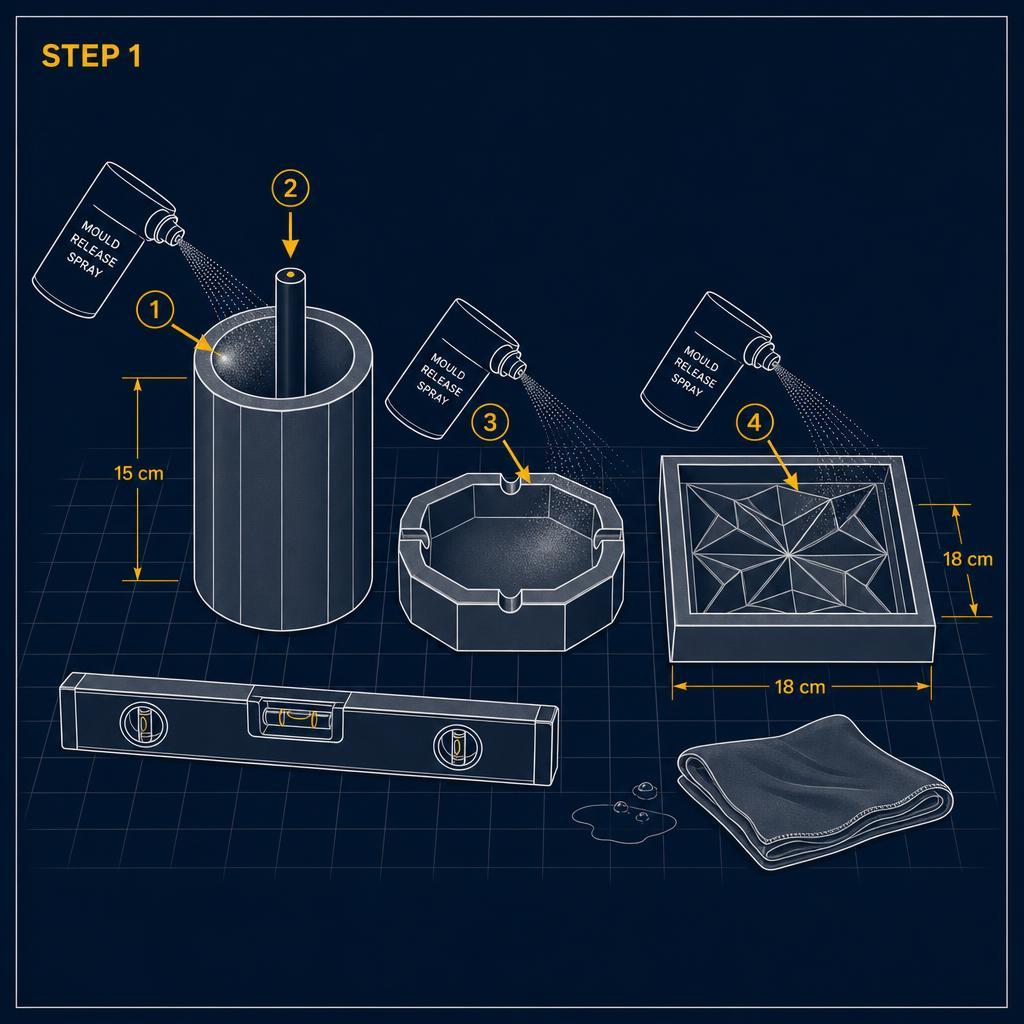
- ✓Spray thin release coat inside each mould
- ✓Insert core rod centred in vase mould
- ✓Set all moulds on level flat surface
Instructions
Lay out all three silicone moulds: vase (15 cm tall), ashtray (12 cm across), tile (18 × 18 cm).Spray a thin, even coat of mould release inside each mould; wipe out any pooling.Insert the vase core rod centred, leaving ~1.5 cm wall thickness all round.Set moulds on a flat, level surface you can tap or vibrate.No concrete is mixed yet — this is setup only.
Time & Waiting
Active work
20 minutes
People
1 person
Swipe or use ← → keys
Want to follow this guide step by step or log your own build?
Open in the Makeit App